Good security is built from many small habits rather than one expensive gadget. Whether you protect a family home or a busy workplace, a few clear steps can reduce risk and give you peace of mind. This guide covers practical measures that anyone can start using today.
Begin With a Simple Risk Check
Walk around your home or office and look for weak points. Check doors, windows, lighting, shared keys and places where valuables sit in plain view. A simple list of risks helps you decide what to fix first and what can wait.
Upgrade Your Locks
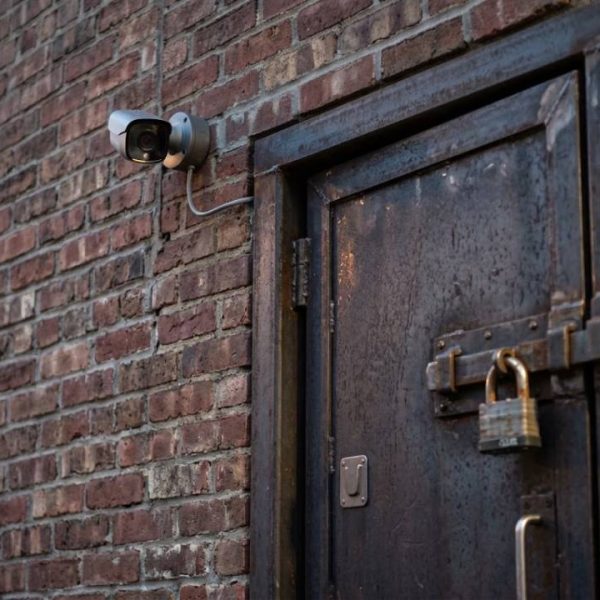
A quality deadbolt on every exterior door is one of the best investments you can make. Replace old or worn cylinders, and change locks after losing keys or when staff leave. Strong locks stop many opportunistic break ins.
Use Lighting Wisely
Well lit entrances and paths discourage trespassers. Motion sensor lights save energy and surprise anyone lurking nearby. Keep bushes trimmed so there are no hiding spots close to doors and windows.
Consider Cameras and Alarms
Visible cameras act as a deterrent, and alarms alert you quickly. Place cameras at entrances and test them regularly. Make sure recordings are stored safely and that only authorized people can view them.
Control Access to Keys and Codes
Keep a record of who holds keys, cards or entry codes. Collect them when roles change. Avoid hiding spare keys under mats or flower pots, because burglars know these tricks very well.
Protect Your Digital Life
Physical safety goes hand in hand with online safety. Use unique passwords, enable two step sign in and update devices often. Government guides such as those from CISA explain simple habits that block many attacks.
Secure Your Wi-Fi
Change the default router password, use strong encryption and create a separate guest network. Update the router software regularly. An unprotected network can give strangers a way into your devices and files.
Be Careful With Email and Messages
Phishing messages often copy trusted brands and create urgency. Pause before clicking links or opening attachments. When unsure, contact the sender through a separate channel and report suspicious messages to your IT team.
Train Staff and Family
Security works only when everyone takes part. Hold short sessions that explain basic rules, show common scams and invite questions. People who understand the reasons behind rules are far more likely to follow them.
Prepare for Emergencies
Know where fire exits, first aid kits and extinguishers are located. Practice a short drill once or twice a year. Keep a list of emergency numbers where everyone can find it quickly.
Safeguard Important Documents
Store passports, contracts and certificates in a fireproof box or secure cloud folder. Keep copies separate from originals. If you need papers for work or study abroad, services such as english to swedish translation help present them correctly to foreign offices.
Plan for Background Checks
Employers and agencies often ask for official records when you move or take a new job. Learning about police clearance certificate translation early helps you avoid delays and keeps sensitive paperwork in careful, trusted hands.
Back Up Your Data
Copy important files to an external drive and a trusted cloud service. Test restoring them from time to time. A good backup turns a ransomware attack or device failure from a disaster into an inconvenience.
Choose Trusted Vendors
When hiring installers, guards or software providers, check references and certifications. Ask how they handle your data and what happens if something goes wrong. Clear contracts protect both sides.
Watch Visitors and Deliveries
Ask visitors to sign in and wear a badge, and keep reception areas tidy. Arrange safe spots for parcels so packages are not left in view. Small routines reduce the chance of theft and confusion.
Review Your Plan Regularly
Threats change, and so do your needs. Set a reminder every six months to review locks, passwords, access lists and emergency plans. Update anything that has become outdated.
Work With Neighbors and Local Groups
Neighborhood watch groups and business associations share useful alerts. Exchange contact details, report suspicious activity and look out for one another. Community support strengthens every individual effort.
Stay Calm and Report Incidents
If something goes wrong, secure the area, contact the right authorities and write down what happened. Quick reporting helps investigations and insurance claims, and it teaches you what to improve next time.
Keep Entrances Clear
Boxes, bikes and clutter near doors give intruders cover and slow your own exit during an emergency. Keep entrances open, tidy and easy to see from the street or reception desk.
Mind Your Social Media
Posting holiday photos in real time tells strangers that your home or office is empty. Share trips after you return, and review privacy settings so only trusted people can see your updates.
Secure Mobile Devices
Phones and laptops hold more private data than any filing cabinet. Use screen locks, enable remote wipe and never leave devices unattended in cars or public places.
Final Thoughts
Security is an ongoing practice. Combine solid locks, smart lighting, careful digital habits and regular reviews, and you will make your home and office much harder targets while staying prepared for the unexpected.